A monthly wrap-up that matches your grid
· 4 min read
The monthly wrap-up is the post that bookstagram runs on. It is also the one that is easiest to put off, because a still collage of twelve covers takes an evening and says what every other collage says.
A wrap-up can be a small scene instead: your month on a real bookcase or printed on a receipt. It still takes the same ingredients, the covers and a few words, but the result moves, and it looks like it belongs to your account rather than to a template everybody has.
Start with the month, not the template
Before you open anything, write down three things: the books you finished, your favourite of the month, and one line about the month itself. The line is what makes it a post rather than a list. “The month I only read in the bath” or “Eleven books, ten of them sad” does more than a caption full of hashtags.
Then pick the scene that suits the shape of your month. A month with many books wants a template with room for them; a month with one standout wants a template that gives one book the stage.
The month on a real bookcase
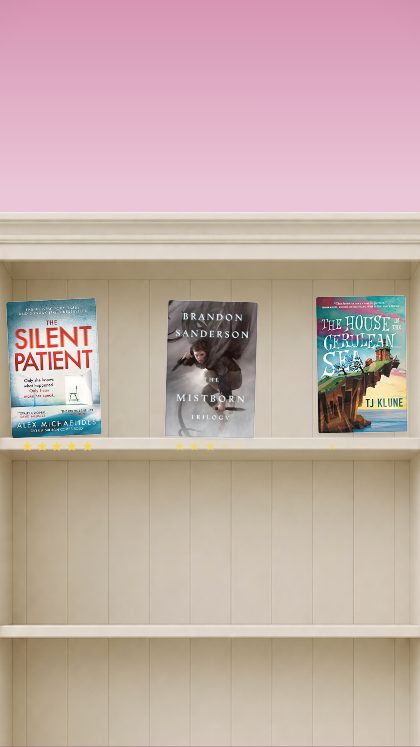
This Month · Studio shelves everything you read on a photographed bookcase. It suits the month with a lot of books, because the point is the pile: each cover finds its place on the shelf.
Search each title and the cover drops into its slot; the studio fetches covers from the Open Library catalogue, and you can upload your own photograph of the book if you would rather show your own copy. A signed edition or an old paperback with a cracked spine looks better than a catalogue image anyway.
The month as a receipt
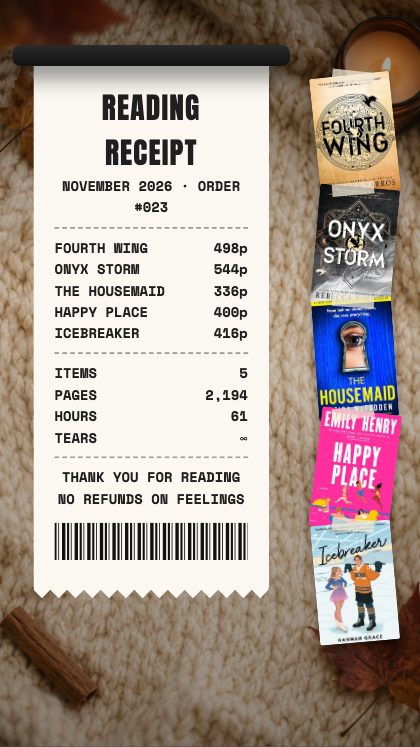
Reading Receipt prints your month on a till receipt. It is a good fit when you want the wrap-up to feel like a joke you are in on.
It rewards a bit of writing: wherever you can, put a short verdict next to a title rather than the title alone.
The one book you want to be seen with
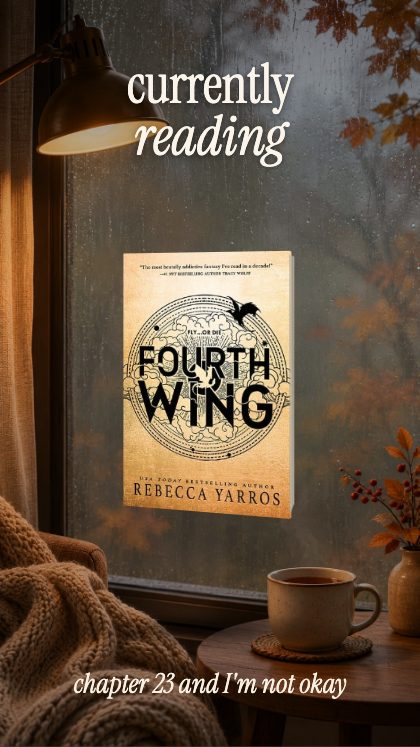
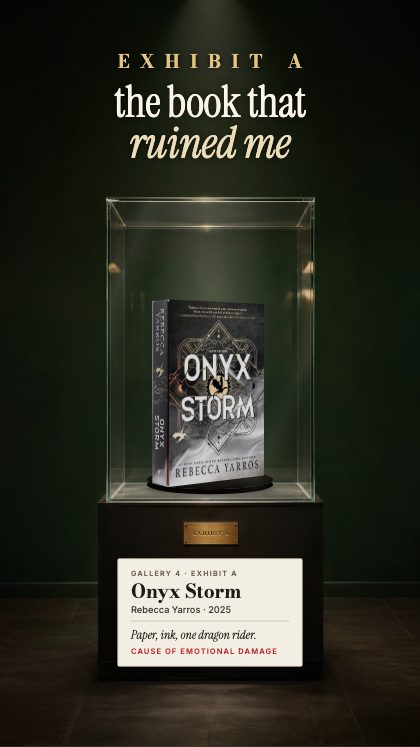
Some months are about one book. For that month, a spotlight beats a wrap-up. The Book Turns turns your book from its spine to its cover, and Museum case puts it on show in a glass case. Where a template shows spines, a book you pick from the cover search brings its real spine if the library of spines has it, and if it does not, the spine is plain, in the cover’s colour. In the templates where the books turn in 3D you can also upload a spine yourself.
A checklist for the month
A wrap-up goes faster when the order is fixed. Run through this before you save, and the post will be ready in one sitting.
- Write the month’s one line first, before you open any template.
- Choose the palette, then the scene, so the colours decide the look rather than the other way round.
- Search every title and check the cover shows the edition you actually read.
- Save once at 1080 × 1350 for the grid and once at 1080 × 1920 for stories.
- List the titles in the caption in the order they appear, so the post can be found by someone searching for one of them.
A caption that earns the save
Lead with the line you wrote, list the books, then ask one question that is easy to answer: which of the month’s books would you pick up first? A specific question gets replies, and replies are what keep a post in front of people.
Make it match the rest of the grid
A wrap-up only looks like yours if it uses your colours. There are twenty-eight colour presets, thirty-seven backgrounds and four lettering styles, and every colour can be set by hand until it matches the rest of your feed. Choose the palette first, then the scene, and the post will sit in your grid like it was always meant to.
The export sizes are 1080 × 1920 for stories and reels, 1080 × 1350 for the grid, or any size you type in. Post the same wrap-up as a story and as a grid post by saving it twice.
The page for bookstagrammers collects nine templates for this kind of account, from the museum case to the rainbow shelf, with a line on what each is good for.
The studio is free to open and play with: every template runs in your browser, with no account and no login. Saving the finished video needs the key, which you buy once on Etsy for $19. It covers all 93 templates, including the ones added later, and nothing renews.