Four BookTok video formats you can make without editing
· 4 min read
Viewers decide fast. A viewer scrolls, sees a line they recognise, and either stays or goes. That is why the formats that keep working on BookTok tend to start on the joke, the verdict or the question, and only then show the book.
The good news is that none of these formats needs an editing timeline. They are layouts: a few covers, a few words, a bit of movement. Below are four of them, what goes in each, and how to get from an idea to a finished MP4 in your browser.
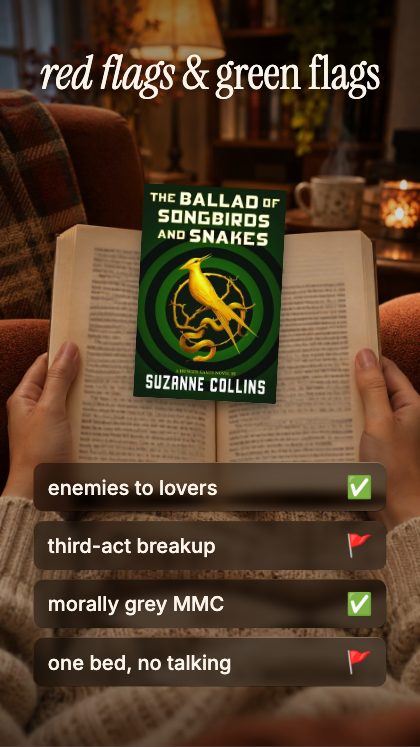
1. The red flags and green flags video
This is the format that starts arguments in the comments, which is exactly what it is for. Red Flags & Green Flags ticks tropes in one by one, with a flag for each. Pick a book you just finished, or a whole genre, and list the tropes.
Keep each trope short. A phone screen has room for a handful of words per line, and a trope reads best when it is one idea: “he’s grumpy only to her”, “the dual timeline”, “the miscommunication that could be solved with one text”. Put the strongest green flag last, so the video ends on something warm, and the strongest red flag second, so it is not lost.
2. The reading meme
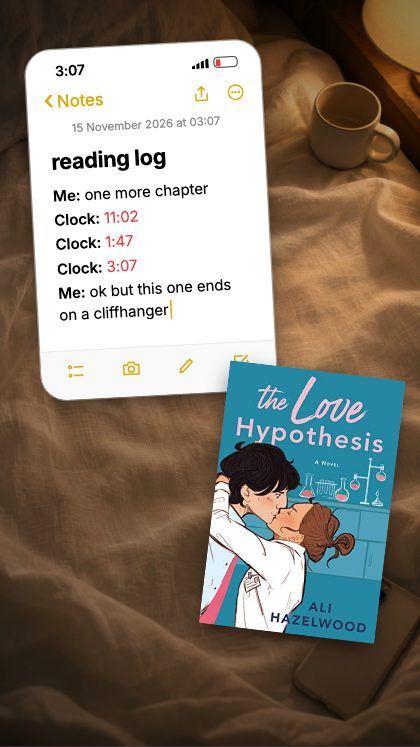
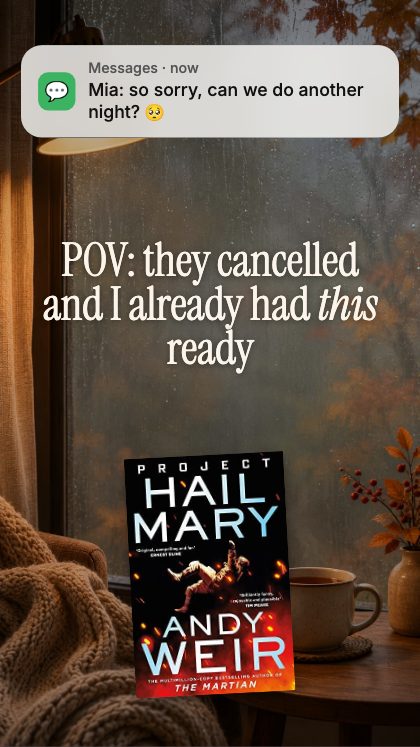
Every reader has the same few experiences: one more chapter at three in the morning, a night in that turns into a whole book, a head full of characters. Memes about them travel because people see themselves in them.
One More Chapter plays the first one with a clock stuck on 3:07. POV: Cancelled Plans drops a notification in and lets the book rise. My Brain Lately gives three covers iMessage-style emoji reactions. The words are yours to change, and the specific version always beats the generic one: swap the 3:07 for the time you actually stayed up until, or name the real plans you cancelled.
3. The recommendation
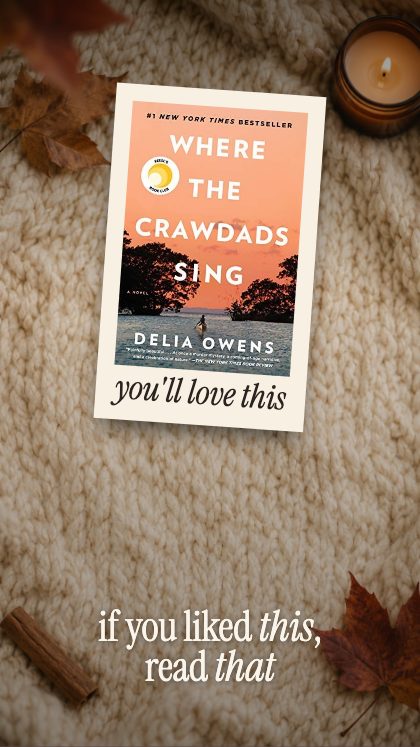
“If you liked this, read that” is the most useful thing a book account can post, and it works well as a pair: the book people already love, then the one they should pick up next.
If You Liked This flies a polaroid off and reveals your next read. Search the first title, then the second, and the covers drop into place; the studio fetches them from the Open Library catalogue, or you can upload your own photograph of a book. Say in one line why the two belong together: same slow burn, same found family, same twist you did not see coming. That line is the real recommendation.
4. The three-word review
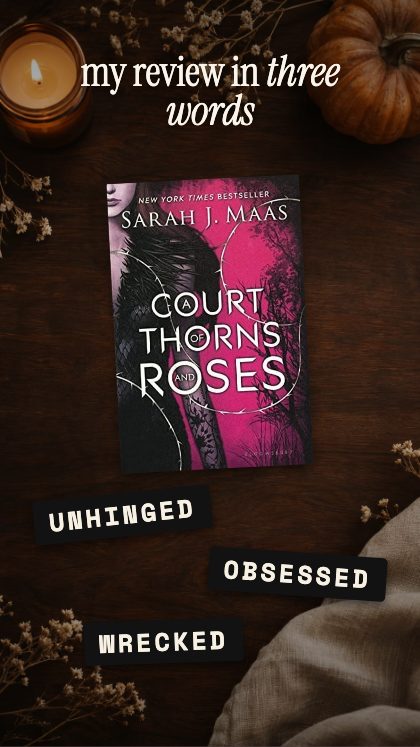
A whole review in three words forces a decision, and that is why it gets read. 3-Word Review slams three label-maker tapes onto your cover, one after another.
Pick the three words before you open the template, and make them three different things: a feeling, a comparison and a warning, for example. “Unputdownable” is a feeling but it tells nobody anything; “Slow, then devastating” does.
Adding your trending sound
The export is silent on purpose. Instagram and TikTok still let you lay a trending sound over the top of a silent MP4, so you can pick the sound at the moment you post, when you know what is working that week, instead of baking one in.
The file saves at 1080 × 1920, the story and reel size, or at any size you type in. The video is put together in your own browser, so nothing is uploaded to us and nothing is watermarked.
A routine that does not take over your week
One approach that suits a busy account: choose one format per week and reuse the same template with new covers. Viewers learn to recognise it, and you stop starting from a blank screen. A red-flags video on Monday, a recommendation on Thursday, and a reading meme whenever something funny happens to you.
There is no timeline to manage. Each template is a finished animation, and what you change is the covers, the words and the colours. Twenty-eight colour presets, thirty-seven backgrounds and four lettering styles are there if you want it to match your feed, or you can set every colour by hand.
That is four formats, and there are more in the same category. The page for BookTok creators lists the eight templates we would start with and what each one is good for.
The studio is free to open and play with: every template runs in your browser, with no account and no login. Saving the finished video needs the key, which you buy once on Etsy for $19. It covers all 93 templates, including the ones added later, and nothing renews.