From covers to MP4: how Pinky Cat works, step by step
· 3 min read
Pinky Cat makes animated videos from your book covers, in your browser, and saves them as MP4 files for Instagram Stories, Reels and TikTok. This post walks through the whole flow, so you know what to expect before you open the studio.
There are three steps and one decision. The decision is which template, and the rest is quick.
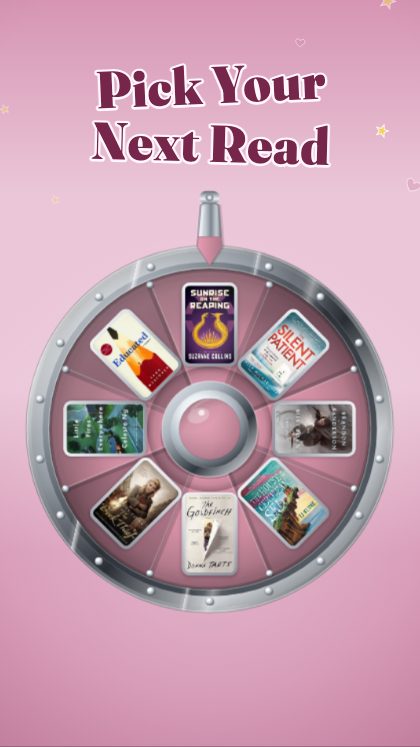
Step 1: pick a template
There are 93 templates in three categories: 33 in Classic, 30 in Trend and 30 in Christmas. A template is a finished animation, such as a prize wheel that lands on one book, a claw machine that grabs one, or a stack that tips over.
Classic is the original shelf of small machines and games that pick, rank or reveal a book. Trend is photographed scenes with your book standing in them in 3D. Christmas is gifts, hauls and festive reveals for the season. If you are not sure where to start, Spin the Wheel takes eight covers and lets the wheel pick one.
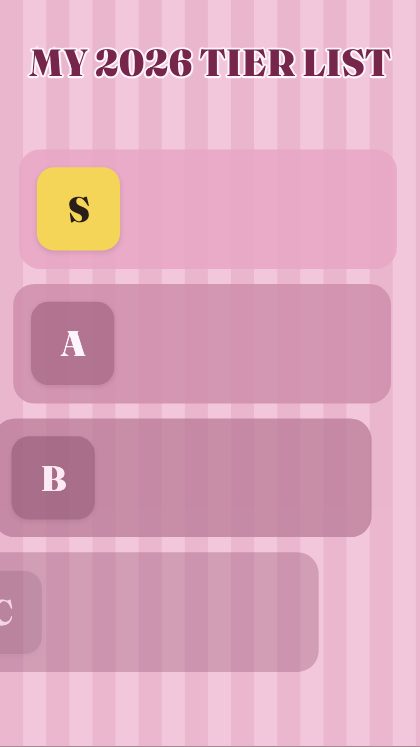
Step 2: add your covers and words
Search a title and the cover is fetched from the Open Library catalogue, or upload your own photograph of the book. Then type your words. Each template asks for a particular number of covers and lines, and the template page and card say how many.
Then choose the look. There are twenty-eight colour presets, thirty-seven backgrounds and four lettering styles, or you can set every colour by hand. In the 3D templates, a library of more than 3,500 book spines shows the real spine of a book picked from the search, if it is there; otherwise the spine is plain, in the cover’s colour, and you can upload your own.
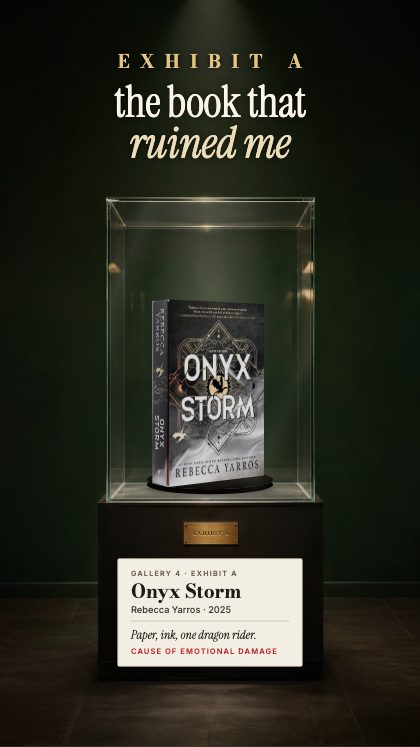
Step 3: save the MP4
Choose a size: 1080 × 1920 for stories and reels, 1080 × 1350 for the grid, or any size you type in. The video is put together in your own browser, so nothing is uploaded to us, and it saves as a plain MP4 with no watermark.
The export is silent on purpose. Instagram and TikTok still let you lay a trending sound over the top of it when you post.
What is free, and what the key does
The studio is free to open and play with: every template runs in your browser, with no account and no login. Saving the finished video needs the key, which you buy once on Etsy for $19. It covers all 93 templates, including the ones added later, and nothing renews.
In practice that means you can open any template, fill it with your own books and see exactly what you would get before you decide to buy.
Which template for which post
If the post is a choice, a ranking or a reveal, start in Classic: wheels, claw machines, tier lists and bingo. If it is a scene with your book standing in it in 3D, such as a museum case or a vending machine, look in Trend. If it is gifts, hauls and festive reveals for the season, that is Christmas.
Every category has its own page that lists everything on the shelf and what each template is for, so you can browse by the kind of post you want to make rather than by name.
Your first video
If you want to try it, here is a sensible first run. It needs a few covers and about as long as it takes to write a caption.
- Open Spin the Wheel in the studio; it needs no account and no login.
- Search eight titles from your own shelf, or upload photographs of the books.
- Type your headline and pick a colour preset that matches your feed.
- Play it back and change anything you do not like.
- When you are happy, get the key to save the MP4 and post it.
Is it for you?
Pinky Cat suits accounts that post more often than they have time to edit. If you are a BookTok creator, a bookstagrammer, a book blogger, a bookshop, a library or a book club, there is a page that lists the templates we would start with and why. And if you want the short version, the page on how it works has the same three steps on one screen.
When you are ready, open a template and try it with your own covers. If you would like the quick version first, the how-it-works page covers the same steps.